
How Estela works
From zero to having your hours measured and a panel to show your client. No timers, no timesheets to fill in: Estela reads what your AI agents and your Git already wrote to disk.
Which one are you?
Three different kinds of people use Estela, and each does something different. Find yours and jump straight there.
Estela's two places
This is what confuses people most at first, and understanding it saves half an hour later. There are two panels and they don't do the same thing:
estela web · runs on your computer. Sees your
disk: your repositories, your hours, your rates. Nothing leaves
from there unless you send it.
Getting started — Free plan
Free, forever, no account. Everything runs on your machine.
- Install it
npm install -g estelaNeeds Node 22.5 or higher. Check yours with
node --version. - Let it read your history
estela setupFinds your Claude Code sessions and your repositories, and reconstructs the last few months. Takes a couple of minutes and asks nothing.
- Open your panel
estela webOpens at
127.0.0.1:4319. It's yours and no one else's: it never leaves your computer.
Reviewing what it deduced
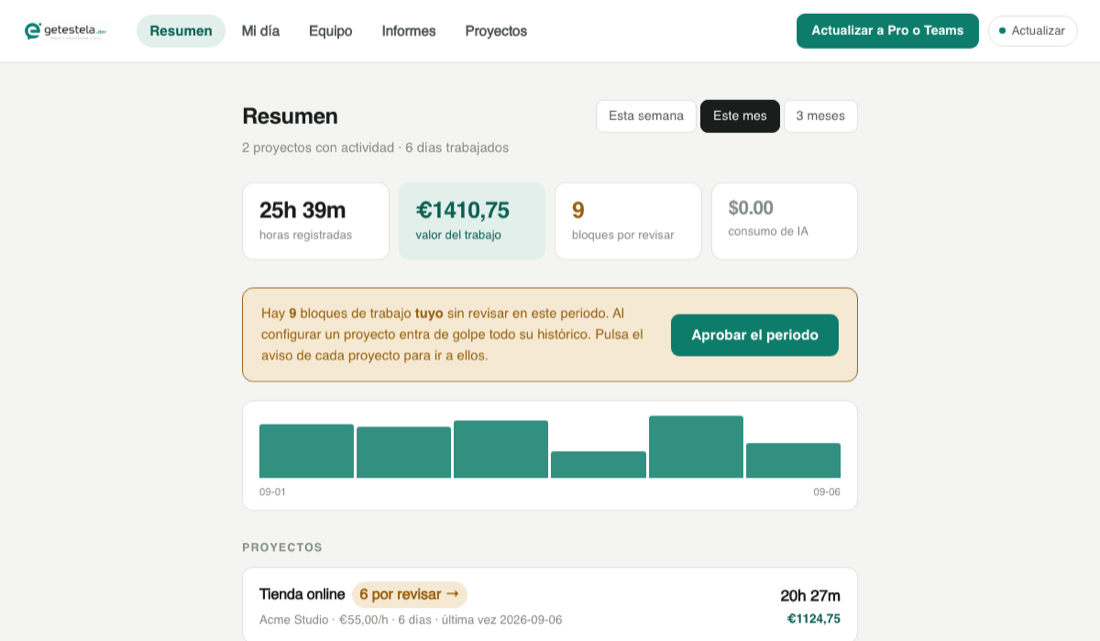
Estela deduces blocks of work, but doesn't take them for granted on its own. In My day you see them one by one: you can fix the description, change the project, adjust the minutes, and approve them.
If the summary says "6 to review", click that notice: it takes you to the day that has them.
Projects and rates
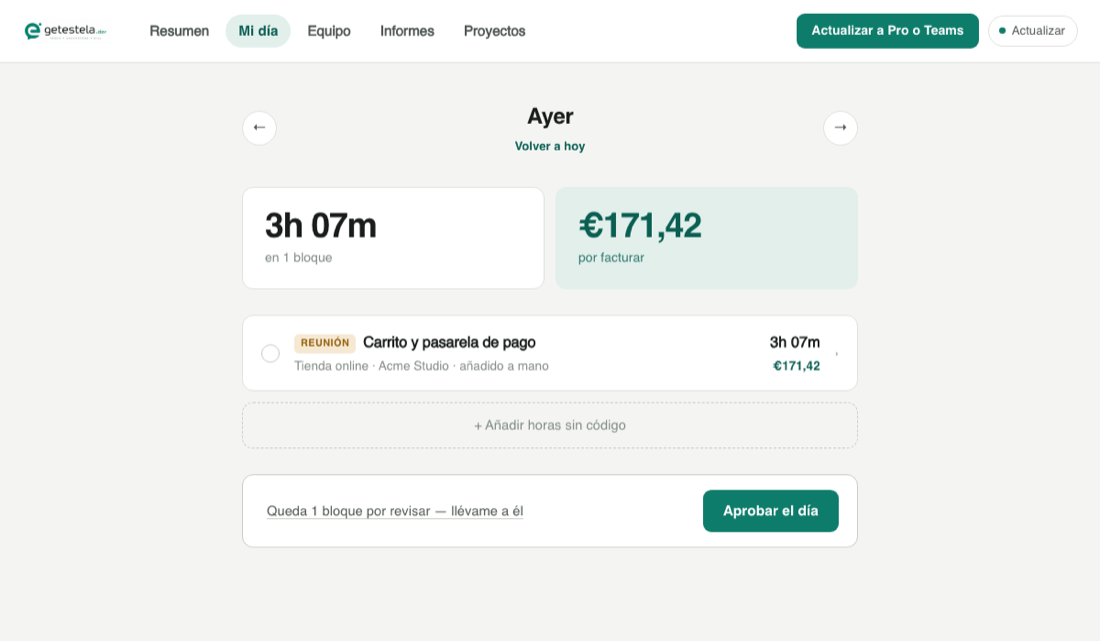
In Projects you say which repository belongs to which client and at what hourly rate. If a project shows up as "no repository", right there is a dropdown with the ones Estela has detected: pick one and click Link. You don't need to know the path.
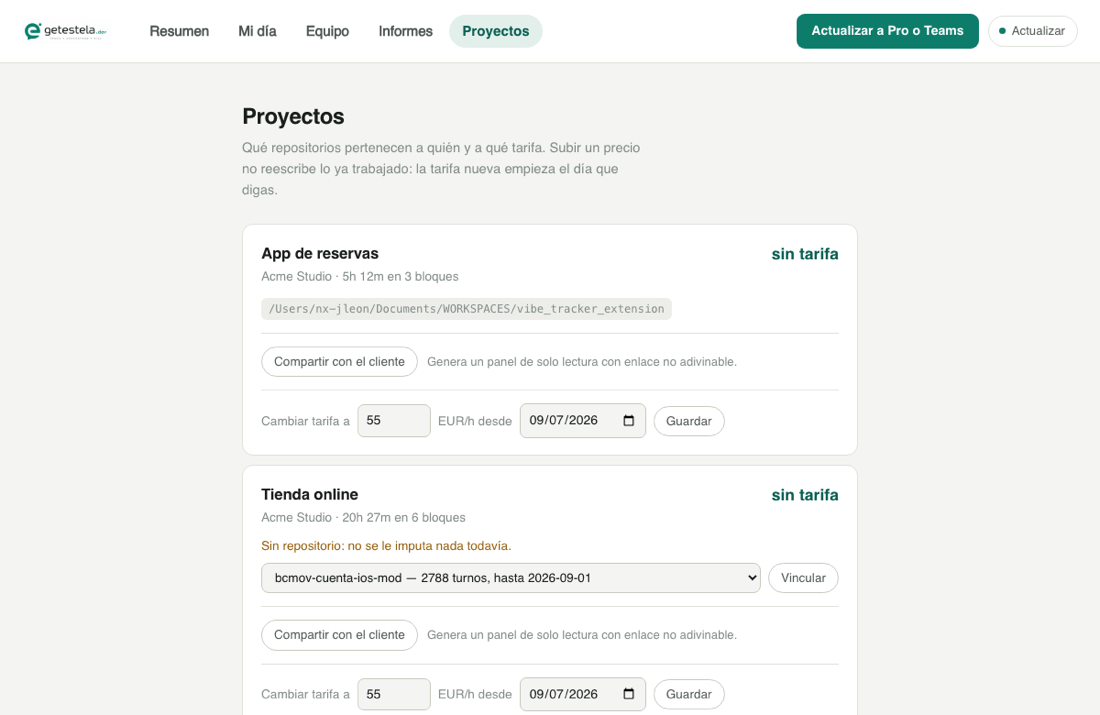
Raising a rate doesn't rewrite work already done: the new price starts the day you say so.
Sharing a panel with your client
A panel is a read-only page with your hours and the commits that back them up. It's not a PDF: your client can expand every figure to see where it comes from.
In Projects, click Share with client. Then you have four ways to get it to them:
- Copy the link and paste it wherever you want.
- WhatsApp, which opens the chat with the message ready.
- Email, which opens your mail app.
- Enter their address and we send it for you. This is the best one: it also shows up in their Estela account every time they sign in.
The Free plan allows one published panel at a time. Pro and Teams, as many as you want.
Pro — your hours on all your machines
$9/month. What it adds: your laptop and your desktop share the same data, and you can log in to see it from a browser.
- Create your account and pay
From getestela.dev/app, or from the local panel with the Upgrade to Pro or Teams button. Paid through Stripe, never in the terminal.
- Link each machine
estela login --email you@email.comYou get a link by email. Open it and that machine is linked.
- Turn on sync for the project
estela sync enable --project acme-storeProject by project, on purpose: what you don't turn on never leaves your computer.
- Sync
estela syncOr click Sync in your local panel, top right.
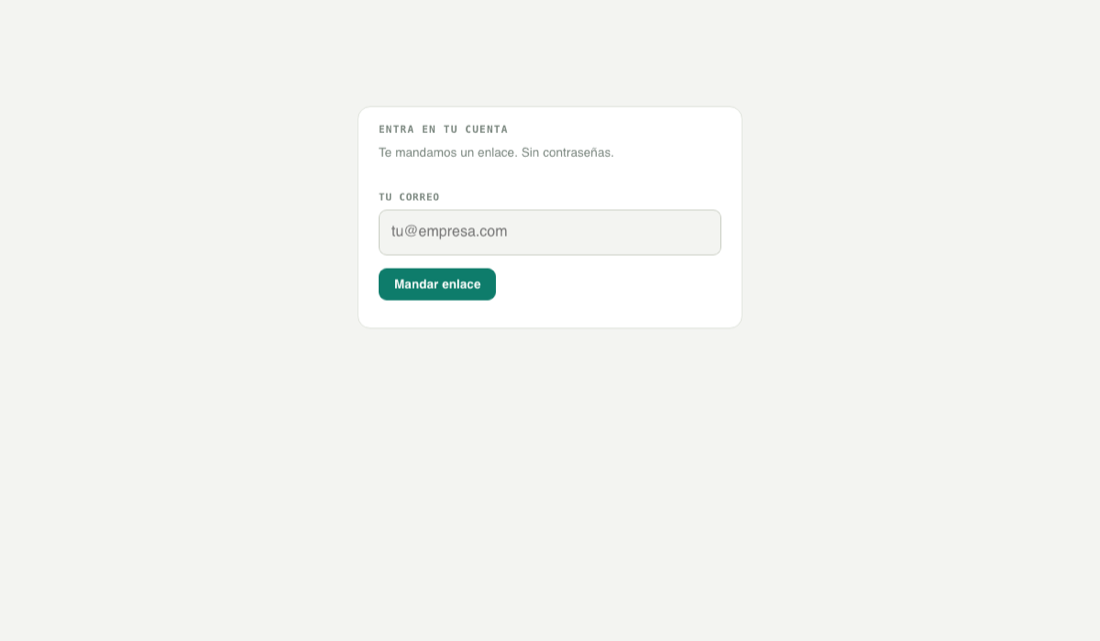
From there, sign in to getestela.dev/app with your email and see your hours from anywhere.
Teams — your team's hours, measured
$10/person/month with a three-person minimum, with a 14-day trial. The difference from Pro is simple: Pro is one person on several machines; Teams is several people. You pay for whoever Estela actually measures, and projects are unlimited: adding one more costs nothing, so you never have to pick which to measure.
If you're the one leading the team
You don't need to install anything or have the repositories. Everything from getestela.dev/app:
- Create the project
In Teams, type the name and click Create. It gets a readable identifier ("Billing Portal" →
billing-portal) that's the one your people will see. - Invite your team
Paste their emails, one per line or comma-separated. Each one gets an email with the steps. You can also copy the command and send it over Slack.
- Wait for them to accept
Meanwhile they show up as pending. Once they accept and import, you'll see their measured hours, their rhythm, and where the effort in the project went.
The panel flags two things worth watching: who hasn't accepted yet, and who accepted but has never synced — that second one is the dangerous one, because you think you're measuring them and you're not.
If you were invited
You'll have gotten an email. It's three commands:
npm install -g estela
estela login --email you@email.com
estela team accept --token TOKEN_FROM_THE_EMAIL
Then tell it where your copy of the repository is. You can do it from your local
panel (estela web → Projects → Link, picking from
the list) or from the terminal:
estela team repo --project billing-portal --add ~/dev/portal
estela import
estela syncYour account can be Free: whoever invited you pays, not you.
AI cost: asked for, not taken
How much a project's AI costs is a fair question if the company is paying for it. But that data comes from the machine of whoever's coding, and it might be their personal subscription. So Estela asks for it:
- The lead requests it
From the project, in their panel. It only asks — it gets nothing yet.
- You get the notice
By email, and also when you sync. You decide:
estela team ai-cost --project billing-portal --allow # or --deny - Whoever asked finds out
Whatever you decide. If you say no, they're told just the same — silence gets mistaken for a bug.
It's shared added up per project, never per person. If you're the
only one sharing it, that total is yours, and the panel tells whoever's looking
instead of letting them deduce it. And if you change your mind, --deny
erases whatever had already been shared.
Your hours don't depend on this: they're measured either way. Consent is only for the AI spend.
Frequently asked questions
Does Estela see my code?
No. It reads when you worked, how much, and with what model — never the content of your prompts or your code. And nothing leaves your machine until you turn on sync for a specific project.
Does it install hooks in my Git?
None. Commits are read with git log. Your husky and your lefthook
stay untouched.
I code without AI. Does it still work?
Yes. Your commits are still a trail: Estela deduces time from them and marks it as estimated, so you know what's measured and what's guessed.
I worked from two folders of the same repository. Does it count twice?
No. Hours from the same project and the same day merge into a single block, and if two sessions overlap in the clock, that time counts once.
Can I link repositories from getestela.dev?
No, and it's not an oversight: a browser can't read the folders on your computer. That's done from your local panel, which does see them. Everything else you do from the cloud.
I switched computers
With Pro or Teams: estela login on the new one and
estela sync. With Free, data only lives on the machine where you
generated it.
How do I cancel?
From your account → Billing → Manage payment. Stripe handles it; we don't store a single digit of your card.
Something not covered here? Write to us from the contact form on the homepage. A person answers.